How Do You Know When It’s Time to Upgrade Your Business Computers?
For many small businesses, computers are an essential part of everyday operations. Whether you’re managing emails, processing orders, creating documents, handling accounts, or communicating with customers, your computers need to work reliably.
However, replacing business computers can be expensive, so it’s understandable that many businesses try to keep their existing equipment running for as long as possible.
The problem is that older computers can eventually cost more in lost time, repairs and frustration than replacing them would.
So, how do you know when it’s genuinely time to upgrade your business computers rather than simply giving them another year?
1. Your Computers Are Becoming Noticeably Slower
One of the most obvious signs that a computer may need replacing is a noticeable decline in performance.
A computer that once started quickly and handled everyday tasks without problems may now take several minutes to boot, struggle to open applications or freeze when multiple programmes are running.
Common signs include:
- Slow startup and shutdown times.
- Applications taking a long time to open.
- Frequent freezing or crashing.
- Delays when switching between programmes.
- Slow performance when browsing the internet.
- Struggling with video calls or multitasking.
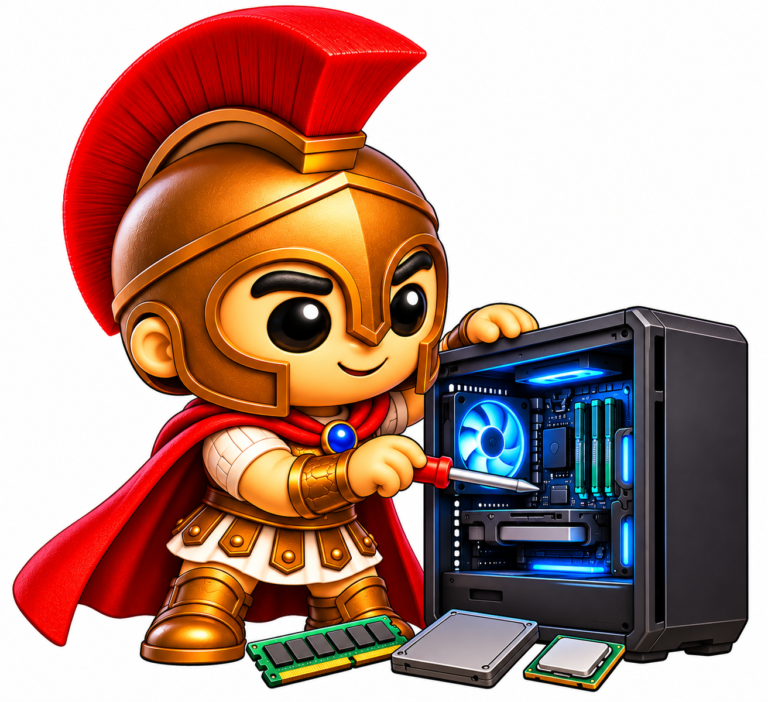
Sometimes, slow performance can be improved with a simple upgrade, such as adding RAM or replacing an old hard drive with an SSD. However, if the computer is already several years old and struggling with basic tasks, it may be more cost-effective to replace it altogether.
2. Your Computers Are No Longer Supported
Keeping your business computers up to date is about more than performance. Security is equally important.
Operating systems eventually reach the end of their support lifecycle, meaning they stop receiving regular security updates and fixes. Continuing to use unsupported software can expose your business to vulnerabilities that cybercriminals may exploit.
This is particularly important for businesses using older versions of Windows that are no longer supported.
If your computers cannot run a supported operating system, upgrading may no longer be optional from a security perspective.
Before replacing equipment, it’s worth checking whether the existing hardware can support a newer operating system. If it cannot, replacement is likely to be the sensible long-term solution.
3. Repairs Are Becoming More Frequent
Every computer will eventually experience hardware problems. A faulty keyboard, failing fan or damaged power supply may be relatively straightforward to fix.
However, when problems start appearing regularly, the costs can quickly add up.
You may find yourself dealing with:
- Repeated repair bills.
- Unexpected downtime.
- Failing storage drives.
- Overheating problems.
- Battery failures on laptops.
- Hardware faults that are becoming increasingly difficult to resolve.
If you’re spending money repairing the same computer repeatedly, it may be time to compare those costs with the price of replacing it.
A single repair may make sense. Several repairs within a short period could be a sign that the computer has reached the end of its useful life.
4. Your Staff Are Losing Time Waiting for Their Computers
Slow computers don’t just frustrate employees. They can have a real impact on productivity.
Imagine an employee losing just five minutes every hour waiting for applications to load, files to open or their computer to respond.
Across a full working day, that time adds up. Multiply it across several employees and an entire year, and the cost of using outdated equipment can become surprisingly significant.
A computer upgrade isn’t simply about having newer technology. It can help staff complete their work more efficiently, reduce frustration and allow them to spend more time doing the things your business actually needs them to do.
5. Your Current Computers Can’t Run the Software You Need
Business software continues to evolve, and newer applications often require more powerful hardware.
You may find that your computers struggle with:
- New accounting or business management software.
- Modern Microsoft 365 applications.
- Video conferencing and collaboration tools.
- Large spreadsheets or databases.
- Design, editing or specialist software.
- Multiple applications running simultaneously.
If your business is growing or changing the way it works, your computers may no longer be suitable for the demands being placed on them.
Rather than forcing employees to work around hardware limitations, upgrading can help your business take advantage of newer tools and technology.
6. Your Computers Are More Than Five Years Old
There isn’t a universal rule that says every computer must be replaced after a certain number of years. Some machines will remain perfectly usable for longer, while others may struggle much earlier.
However, for many businesses, around four to six years is a useful point to start seriously reviewing their computers.
The age of a computer is only one factor. You should also consider its specifications, condition, workload, reliability and whether it can still receive security updates.
| Computer age | What to consider |
|---|---|
| 0–3 years | Usually suitable for continued use if maintained and supported |
| 3–5 years | Start reviewing performance, condition and future requirements |
| 5–6 years | Consider planned replacement, particularly for staff using computers heavily |
| 6+ years | Replacement is often worth serious consideration, especially if slow, unreliable or unsupported |
These are guidelines rather than strict rules. A well-maintained computer used for light tasks may last longer than a heavily used machine running demanding software.
7. Your Business Is Growing
When a business first starts, it may be tempting to purchase the cheapest computers available.
That might be perfectly reasonable when there are only one or two employees and limited requirements. However, as your business grows, your IT needs often grow with it.
You may need to accommodate:
- Additional employees.
- More demanding software.
- Remote or hybrid working.
- Improved security requirements.
- Larger amounts of data.
- Better collaboration between staff.
Upgrading your computers can be part of a wider plan to ensure your technology supports your business rather than holding it back.
It’s often better to plan upgrades around business growth than to wait until computers start failing at inconvenient times.
Should You Upgrade or Replace Your Computer?
Not every slow computer needs to be replaced. In some cases, a relatively inexpensive upgrade could significantly improve performance.
| Problem | Possible solution |
|---|---|
| Slow startup | Upgrade to an SSD if the computer still supports it |
| Running out of memory | Increase RAM, if compatible and upgradeable |
| Poor battery life | Replace the battery or consider a new laptop |
| Frequent hardware failures | Replacement may be more cost-effective |
| Unsupported operating system | Upgrade hardware if it cannot support a supported OS |
| Struggling with modern applications | Consider replacing with a more suitable specification |
The important thing is to identify the actual problem before spending money.
Upgrading an older computer can sometimes be an excellent way to extend its life. However, investing in a machine that is already outdated, incompatible or unreliable may only delay an inevitable replacement.
How to Plan Your Business Computer Upgrades
Replacing every computer in your business at the same time isn’t always practical, particularly if you have a limited budget.
Instead, consider creating a simple IT replacement plan.
Start by creating an inventory
Make a list of all computers currently used within your business, including:
- User or department.
- Computer make and model.
- Age of the device.
- RAM and storage capacity.
- Operating system.
- Current condition.
- Any known performance issues.
This gives you a clear picture of what you have and helps identify which computers are most in need of replacement.
Prioritise the computers that need replacing
Not every computer will need upgrading at the same time.
Prioritise devices that are:
- No longer receiving security updates.
- Regularly failing or crashing.
- Significantly affecting staff productivity.
- Unable to run essential software.
- Being used for particularly demanding workloads.
This allows you to focus your budget where it will make the biggest difference.
Budget for replacements in advance
Rather than treating computer replacements as unexpected expenses, include them in your business IT budget.
Replacing a few computers each year can be far easier to manage financially than suddenly needing to replace an entire office because several machines have failed at once.
A planned replacement cycle also gives you time to choose suitable hardware, arrange installation and migrate data with minimal disruption.
Don’t Wait Until Your Computer Fails Completely
One of the biggest mistakes businesses make is waiting until a computer stops working before considering a replacement.
A sudden hardware failure can result in lost working time, unexpected costs and potential data recovery problems.
By recognising the warning signs early, you can replace computers at a time that suits your business, rather than being forced into an urgent purchase.
Final Thoughts
Upgrading your business computers isn’t about chasing the latest technology or replacing perfectly good equipment unnecessarily.
It’s about ensuring your staff have reliable, secure and capable computers that allow them to work efficiently.
If your computers are becoming slow, unreliable, unsupported or unable to run the software your business needs, it may be time to start planning an upgrade.
At Spartan IT Systems, we help businesses across Suffolk make informed decisions about their IT equipment. Whether you need advice on upgrading existing computers, choosing new hardware or planning a gradual replacement programme, we can help you find a solution that suits your business and your budget.
Don’t wait for your computers to fail before planning their replacement. Get in touch with Spartan IT Systems and let us help keep your business running smoothly.